
iPhone / iPad App
Avold
Every time you skip a purchase, it adds up.
That convenience-store coffee, the snack you always grab, the taxi you didn’t take. When you skip it, just tap a button. Avold adds the amount to your “virtual savings” and shows how much you’ve saved this month and which skips help the most. You can also log money you spend from those savings, like treats or subscriptions, so everything stays in one place.
🔒 Your records are stored on your device. You decide whether to share them in the Community (sharing is off by default).
Features
One-tap logging
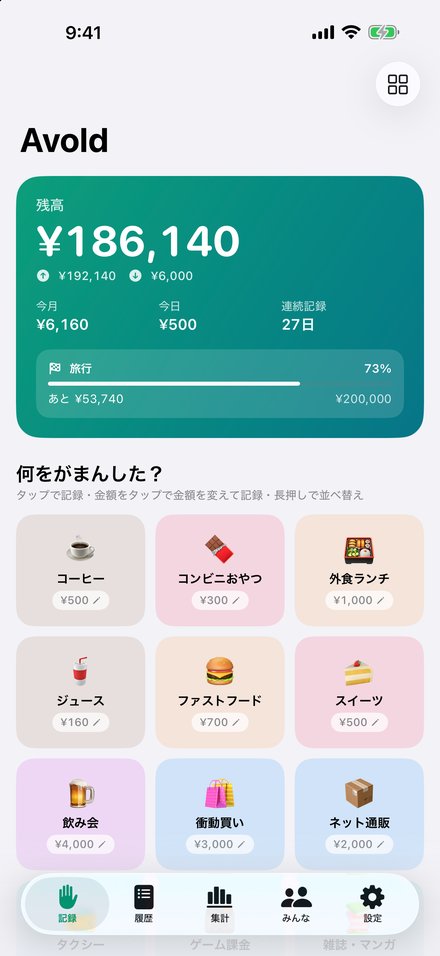
Your usual items appear as buttons. Tap one to log its usual amount, then fix the amount or undo right from the banner.
Easy amount editing
A big keypad, +/− steps, ×2 and ×3, and your recent amounts make different prices quick to enter.
Favorites rise to the top
Items are sorted by how often you use them. Pin favorites or long-press to rearrange them yourself.
Clear statistics
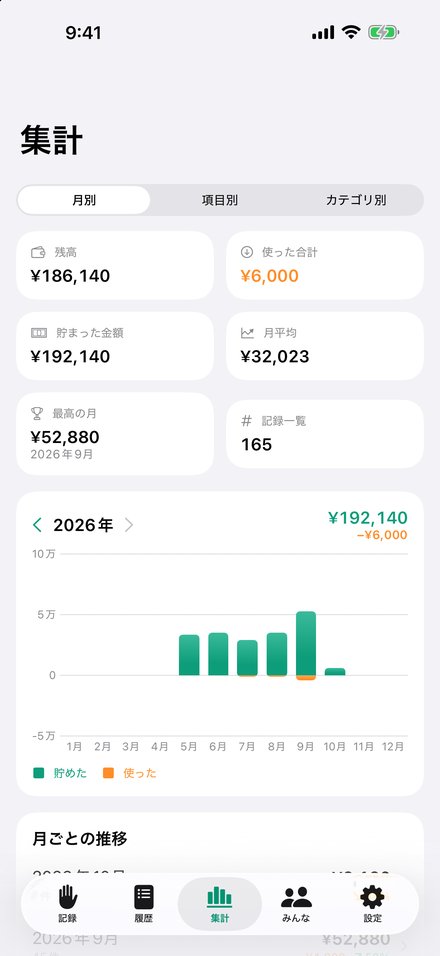
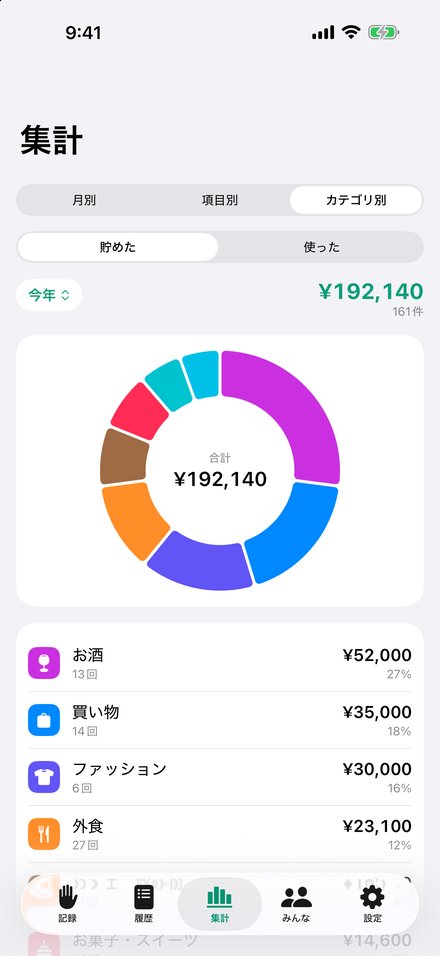
Monthly charts with month-over-month changes, an item ranking and a category donut chart show which skips matter most.
Goals and streaks
Track progress toward a savings goal and how many days in a row you’ve logged.
Spend from your savings
Log treats, transfers to real savings or monthly subscriptions as “spent.” Your balance is saved minus spent.
Community
See what others skip
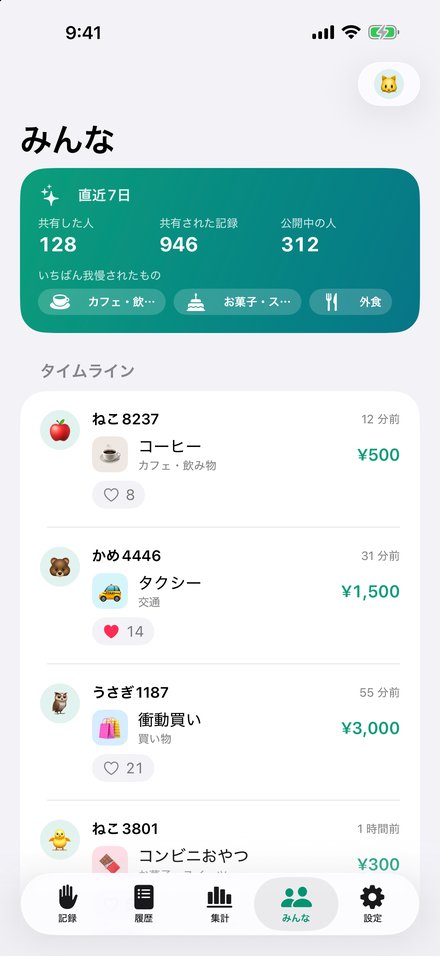
Records shared by other people appear on a timeline, so you can see what everyone is cutting back on.
Anonymous, and you choose
No email or real name needed. Join with a nickname and an emoji, and turn sharing on or off at any time. Notes are never sent.
Likes and safety
Send likes to records you enjoy. Report or block objectionable posts and users; reported posts are reviewed and removed.
More
9 languages
Japanese, English, Chinese (Simplified and Traditional), Korean, Spanish, French, German and Portuguese.
Any currency
Set automatically from your region the first time and changeable anytime in Settings.
CSV export
Export your records as a CSV file to use in a spreadsheet app.
Pricing
- Avold is free, and every feature is available.
- A banner ad (Google AdMob) is shown at the bottom of the screen.
Requirements
Requires iOS 26.2 or later on iPhone or iPad. Logging and statistics work offline; the Community and ads need an internet connection.
Support & Contact
For questions, bug reports, or to report objectionable posts or users, please use the contact form. In the app, you can also open it from Community → My Profile → Contact Us.